
How Can We Help?
Search for answers or browse our help center.
TiltWatch XTR Indicator information
A TiltWatch XTR Indicator looks like this:
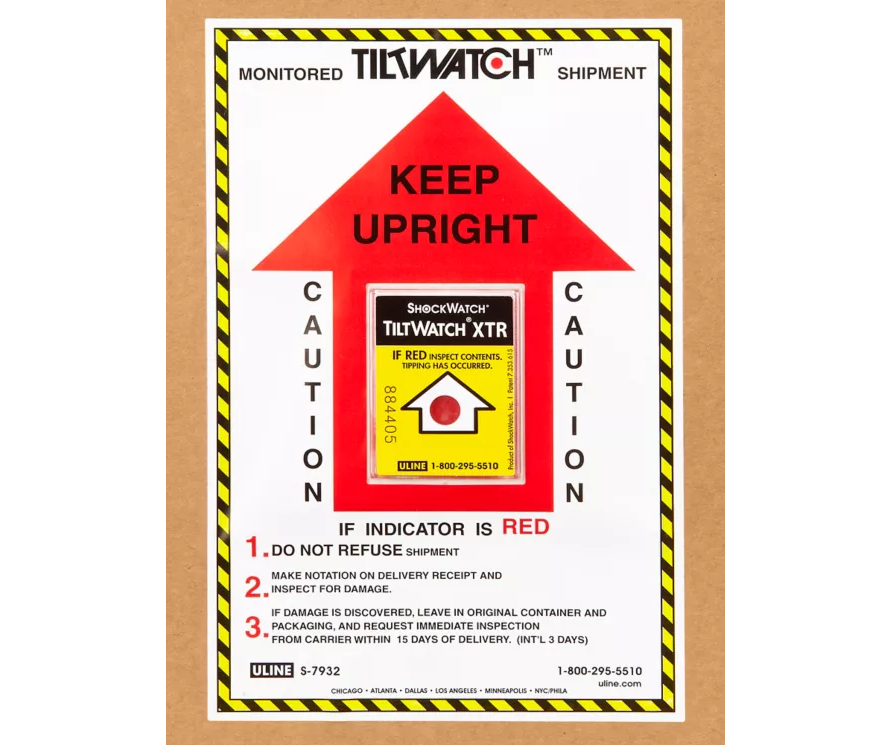
This indicator tracks whether your shipment was tilted more than 80°, which can indicate mishandling. In the picture below, the indicator has been activated and is showing red.
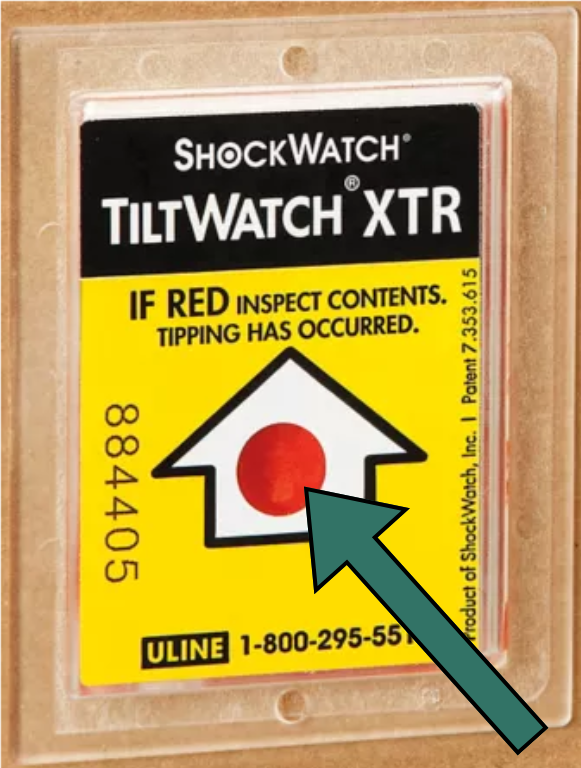
This section of the indicator will be white if it has not been activated.
If your indicator is red, please follow the instructions on the sticker:
- Do not refuse shipment.
- Make notation on delivery receipt and inspect for damage.
- If damage is discovered, leave item in original container and packaging, and request immediate inspection from carrier within 15 days of delivery date (int’l 3 days).
Often box damage doesn’t necessarily mean product damage. If damage is observed, please also contact us within 24 hours to set up a corrective action.