
How Can We Help?
Search for answers or browse our help center.
How to access the power supply
EVOLUTION – Replace Power Supply:
TO ACCESS: Use the hand switch to elevate the table as much as possible. UNPLUG the table. Remove 6 screws that secure the inner section of the plastic enclosure to the steel base. The plastic can be held up with tape or string.
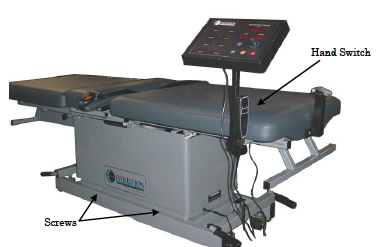
The power supply is secured to the inside wall of the base with two screws.
HEAD END 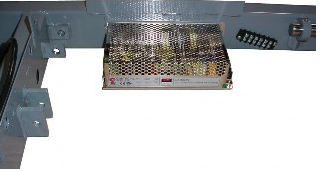
Cut the wire tie that is holding the cables to the top of it.
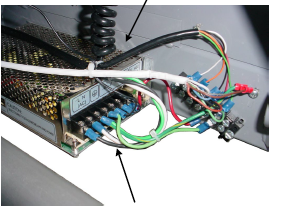
Remove wires from one terminal at a time and transfer them to the new power supply. Secure the new power supply to the base.