How Can We Help?
Search for answers or browse our help center.
How to add lock knob
HEAD PIECE – Replace the L-Plunger
Tools needed: Phillips head screwdriver 7/16″ wrench
- Remove the two screws securing the paper cutter. Be careful to not lose the plastic spacers.
- Remove the two screws that secure the original bracket with the L- plunger in it.
- Secure the new bracket with knob using the same two screws.
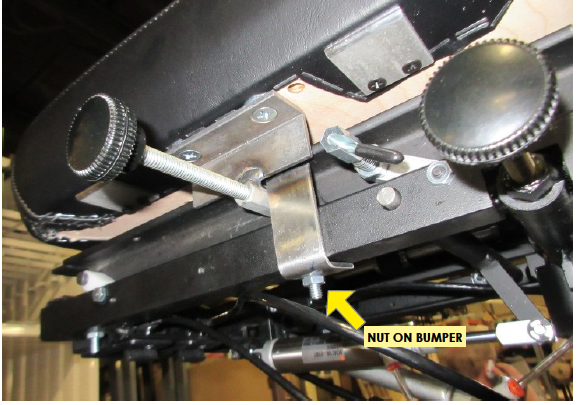
- Remove the nut on the bottom of the rubber bumper. See photo. Add the steel angle to serve as a stop. Secure the stop with the same nut.