Repex
Remove the Main Board
Remove the large bolts at the corner of the large board and pull connectors apart.
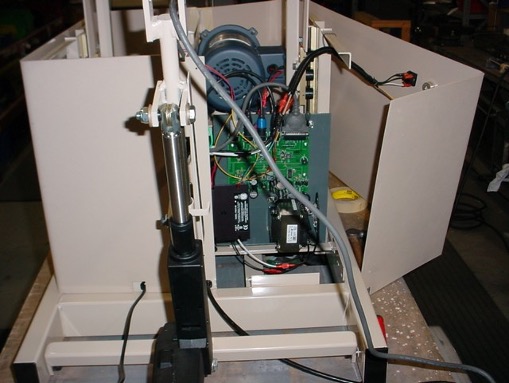
| REPEX – Replacing the Main Control Board |
|
- Use the hand control to raise the center of the table to the highest point and the side supports to the fullest extension.
- Unplug the table.
- Remove the plastic skirt panel that has the ON/Off switch mounted on it.
Also remove the flat plastic cover located under the cushions toward the head end of the table.
- Disconnect the black and red wires from the speed controller. Red is at the top, black at the bottom. Take note how the wires are routed behind the green electronics board that is mounted on the main control board.
-
- Remove the five cables that are plugged in along the top edge of the main control board. They include the three actuator cables, micro switch cable, and the wide connector from the hand control cable.
|
|
| |
|
|
|
| |
|
|
| |
|
|
